Recently in the Global Games Jam, I had the opportunity to work with several other disciplines to make a very unique game in a short amount of time. The game was heavily reliant on a “spam” mechanic of ads on the player screen reminiscent of early 2000’s windows interface.
In Unreal Engine 5, the way that this data was handled would have to be built in a way that reminded us of the annoyance of old technology. UI elements are made with Widget Blueprints in UE5. These can be spawned and placed in flat layers in the game world, or directly in front of the player’s screen. Example would be a HUD or “fake” computer screen in the world that the player could interact with. In our game, we would have a mixture of both. A computer screen that simulated that of an older interface, that would generate and handle many different UI elements on top of it that the player could interact with.
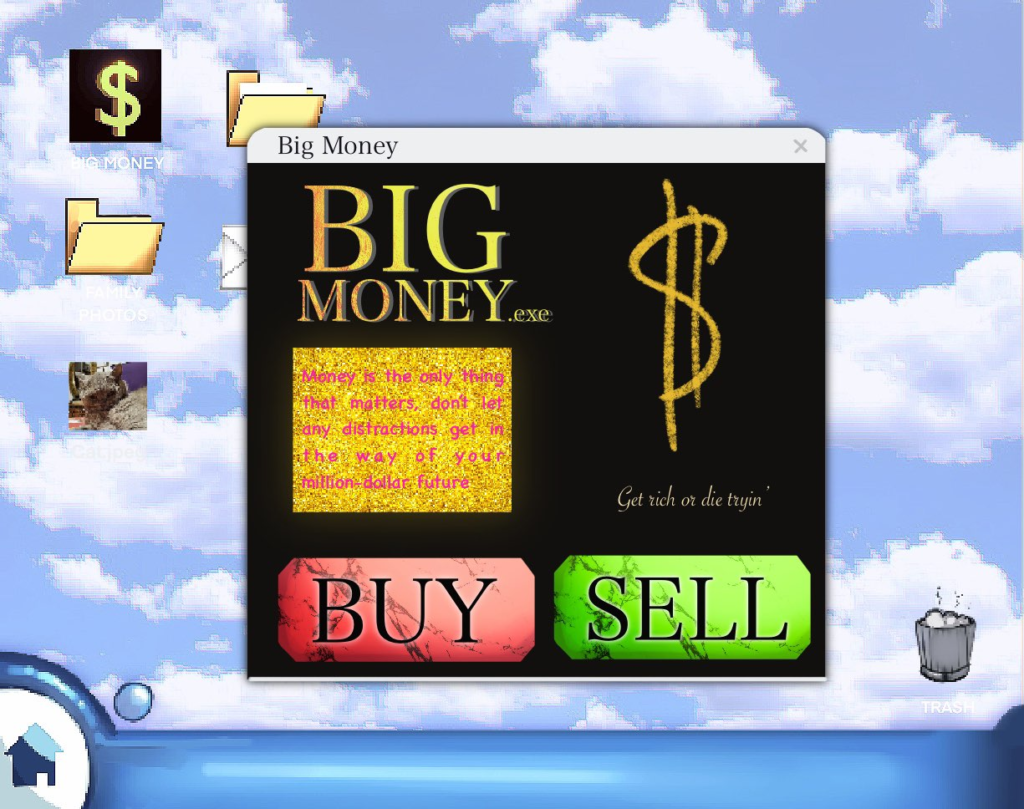
Handling this many Widget blueprints could get unruly, especially because of the different types we needed to spawn on the screen (A popup ad, a timed ad, and a CAPTCHA system).
Handling each would require storing them efficiently and ordered so that they could be spawned correctly as the design team saw fit. Because the team member was comfortable with Data Tables, I created a custom data structure to help organize all of these in one spot for them, easily accessible and with helper functions to make them appear on screen correctly.
UENUM(BlueprintType)
enum class EAdvertType : uint8 {
	POPUP = 0 UMETA(DisplayName = "Popup"),
	TIMED = 1 UMETA(DisplayName = "Timed"),
	INTERACTIVE = 2 UMETA(DisplayName = "Interactive")
};
USTRUCT(BlueprintType)
struct FAdvertData : public FTableRowBase
{
	GENERATED_USTRUCT_BODY()
	public:
		UPROPERTY(EditAnywhere, BlueprintReadWrite, Category = "Advert Properties")
			EAdvertType Type;

		UPROPERTY(EditAnywhere, BlueprintReadWrite, Category = "Advert Properties")
			TArray<TSubclassOf<UUserWidget>> UIWidgets;
};
// Grab Popup and add to viewport
UUserWidget* AUIHandler::ShowPopupUIWidget(TSubclassOf<UUserWidget> Widget)
{
if (Widget != NULL)
{
UUserWidget* Popup = CreateWidget<UUserWidget>(GameInstanceRef, *Widget);
Popup->AddToViewport();
return Popup;
}
return NULL;
}
// When Timed Advert is added to viewport, create timer to destroy
UUserWidget* AUIHandler::ShowTimedAdvertUIWidget(TSubclassOf<UUserWidget> Widget)
{
if (Widget != NULL)
{
TimedAdvert = CreateWidget<UUserWidget>(GameInstanceRef, *Widget);
if (TimedAdvert != NULL)
{
TimedAdvert->AddToViewport();
AdvertTimerDelegate.BindUFunction(this, "ExitTimedAdvertUIWidget");
GetWorld()->GetTimerManager().SetTimer(AdvertTimer, AdvertTimerDelegate, 7.0f, false);
}
}
return TimedAdvert;
}The above code can be used in Blueprint to take whichever widget the designer sees fit, using it’s subclass to create a temporary Widget, which then adds it to the viewport (either destroying it on a timer for the Timed ads, or just waiting for user input for Popups and Captcha Ads).
This simple tool means that the designer could add as many different ads (widget blueprints) into the data structure, then pull them out when necessary not having to deal with any of the backend functionality of creating references for them, or handling how the user should interact with them.