Development Tools for Designer
As I mentioned in my previous DevLog, I wanted to focus this project development on making tools for the designer to fill out the level and manipulate gameplay mechanics within the Level Editor. Being the only developer on the project, this focus being prioritized would allow me to focus more on the backend of the game functioning properly, while the rest of the team could focus more on the aesthetic and moment-to-moment changes.
Because I was the only developer on the project, I knew I would have to bounce back and forth between the design work and developing, creating tools for the designers would allow me to do bug fixes while they worked on the level.
Simulation Game Mechanics
A lot of the mechanics within the sim-game genre, and the ones we were aiming for, are able to be replicated and manipulated during runtime. Meaning the Player’s actions were facilitate spawning actors in the game and manipulating their properties to have systemic impact on the overall game.
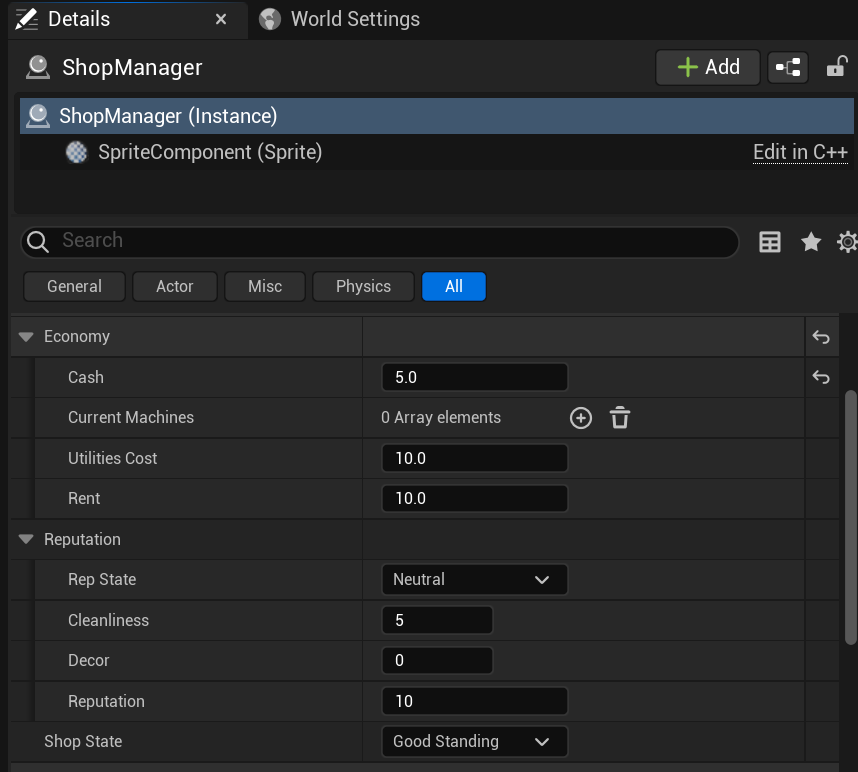
Many of those systemic impacts we focused on were the in-game Shop Economy that was impacted by the Washing Machines: successful wash, upgrades, and buying new machines.
Firstly, Machines could be spawned in when the Player had enough money to purchase a new machine through the spawn manager.
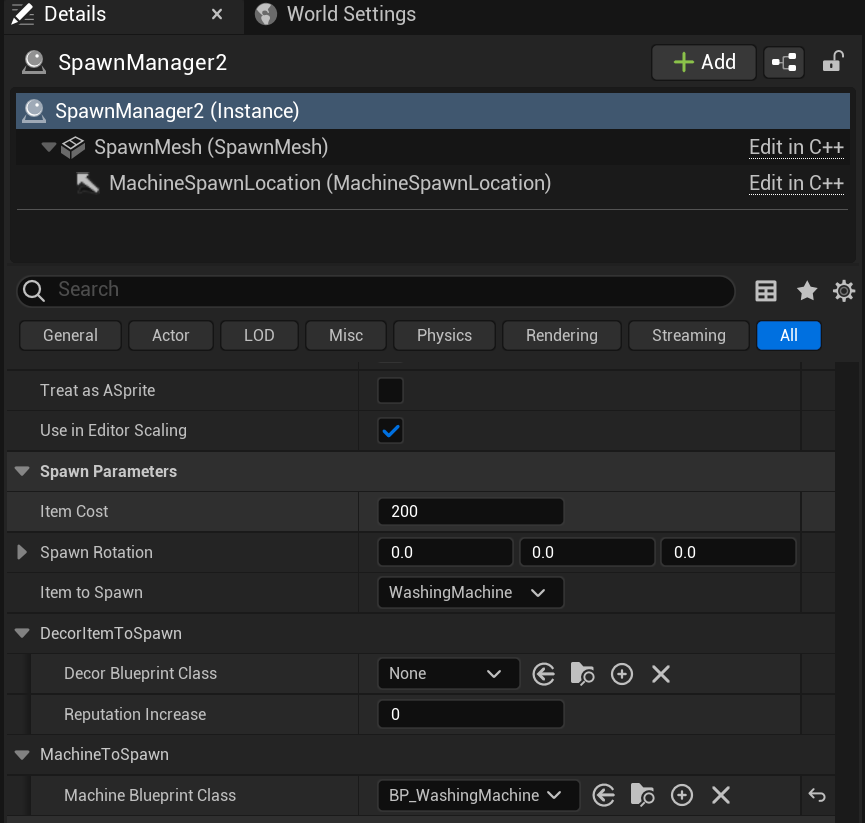
This SpawnManager c++ class could be edited in the Engine by the designer to choose which machine they wanted to spawn, or Decor option which would be a one-time, large increase to the overall Shop’s reputation, how much that machine should cost, and where fix the position of the machine depending where the SpawnManager lived in the level.
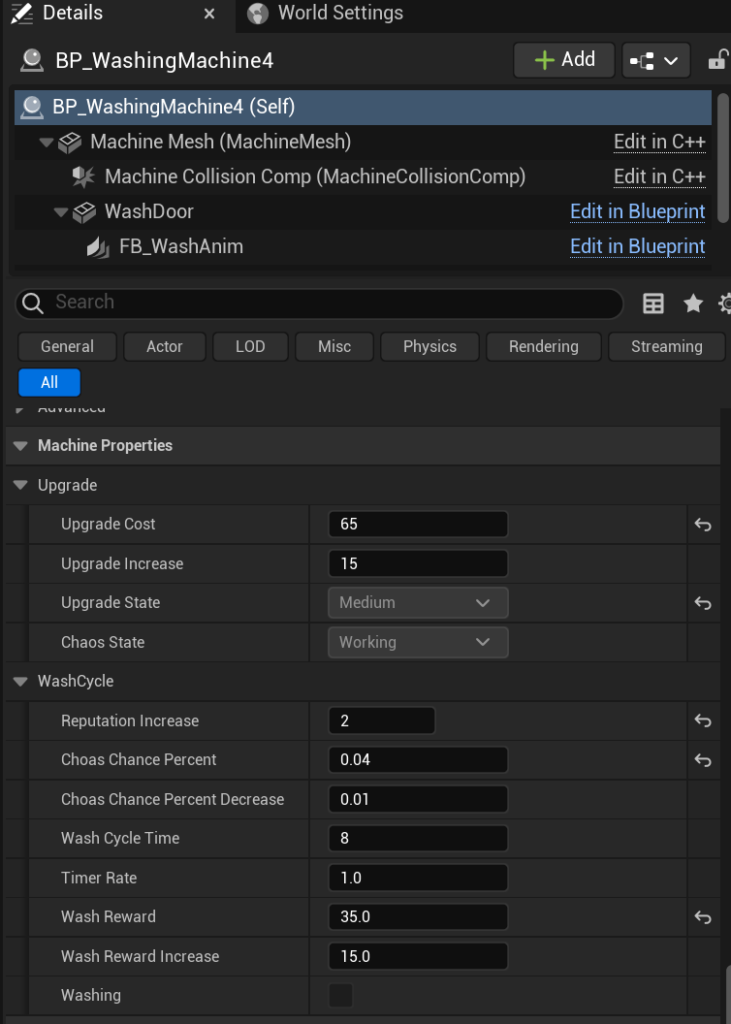
Having these around the level and interactable with the Player (during the night cycle) meant the designer could set them, edit the properties, then let the Player further interact with them without having to do any programming/BP scripting.
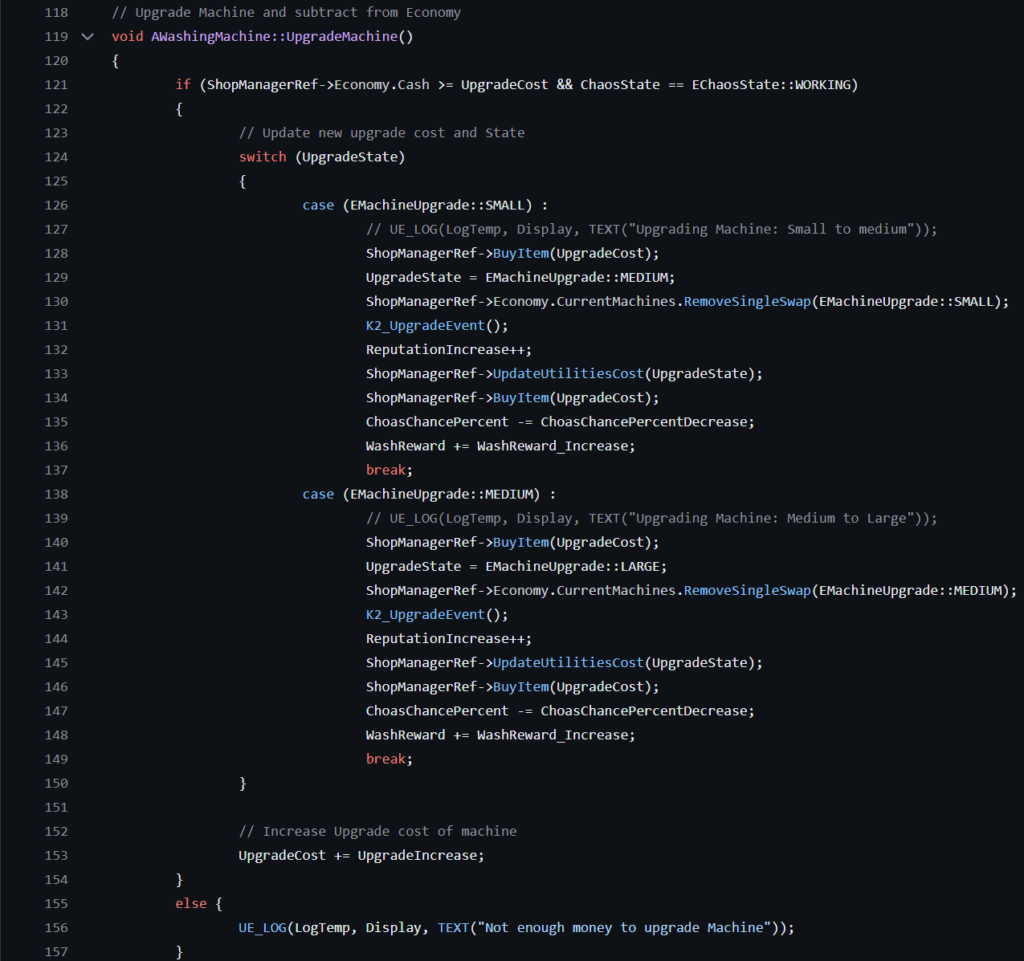
The Machine once spawned in would take care of the rest during gameplay. Having a wash cycle when the Player initiated it, triggering a percentage chance it would fail, rewarding the player with more money depending on the upgrade status of the machine, and influencing the Utilities section of the ShopManager which took out every night depending on how many machines (upgraded costing more), creating a risk/reward for upgrading machines vs. buying more machines.
Thoughts After Submission
In the final stages, I felt proud of the work that I put in and what I learned focusing my development work in this structure. The shortcomings I found in this structure, for this project in particular, was not having support in other development areas. For example, simple blueprint scripting to help with mechanics polishing, or visual changes. These smaller changes added up fast when it came down to the wire for submission.
The tools/code that I made for this project I carried into the next project. Such as the ShopManager and SpawnManager, these two classes had functionality that I believe could be used in many different projects to keep gameplay mechanics easily manageable and manipulated during runtime.