On my last update, I talked about having much of the framework in place to procedurally generate my endless runner. A few of those bones in place were temperamental and lacked the stability to scale the project moving forward. The following are elements of those features that got important updates and a few others that were annoyances that I changed.
Updates on Important Features
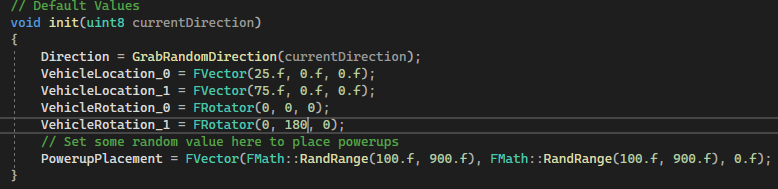
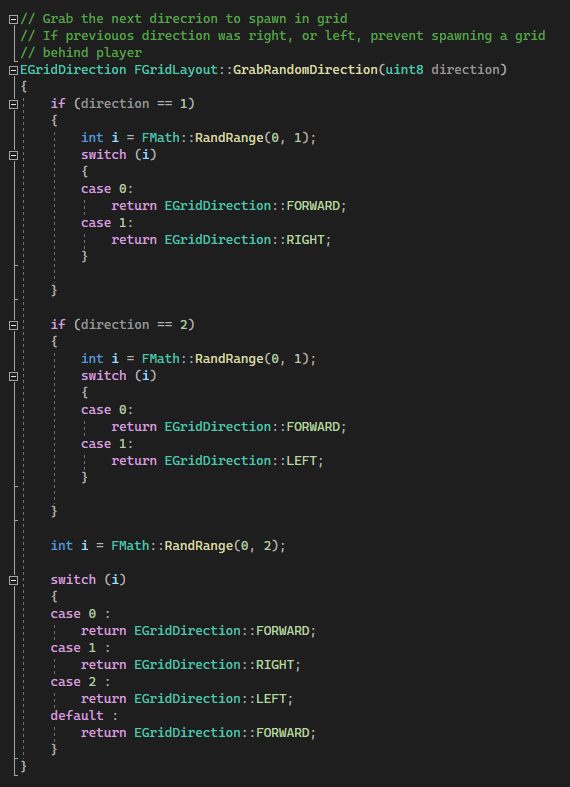
Before the update, I was spawning grid templates in place as the player passed through a collision actor called SpawnHandler. This would place a GridTemplate in one of three locations (Left, Forward, Right). This random nature left the problem of the player having to backtrack in the level. Ruining momentum. For instance, if a “Right” directional grid spawned after a subsequent “Left” directional grid, the player would have to turn around to where they had just come from. The inverse is also true. To fix this, I am now storing a (uint8) value in the Player that captures the current direction they are on. This value is checked in the grid template to check for that backtrack spawning.

Vehicle types were another struggle to get working correctly. The source of this problem was the child blueprints that the Vehicles were being spawned from. The Vehicle.cpp functionality was all working correctly, but the children Blueprint classes of that file were not. I looked in to this further and found that this was a common Unreal problem. A way to work around this, is to delete the Blueprint not updating and create a new one. This did not seem like a satisfactory solution, because of another problem I will go into the next section. So instead, I am now writing all the functionality in the Vehicle.cpp that was missing and spawning that class. This ended up being faster, as well as fixing some collision issues I was having with the Blueprints spawned.
Some Things that Caused Annoyance
There seems to be a few reasons to avoid spawning Blueprints from C++ files. Firstly, is that the constructor helpers in place for creating references to Blueprints that already exist in the project are extremely temperamental. In my experience in this project, they worked 75% of the time and when they did, the blueprints themselves were not updated accordingly when changes to their parent C++ class were updated. The variability of stability was happening on every time a new instance was called. For some reason, the Construct Helper for the UI Widget Blueprints I have in place are working fine, so I will have to look further into if that will be a problem in the future or look out for future Unreal updates on that front.
Another reason to avoid spawning in Blueprints all together, is the performance hit. Specifically with colliders, the Blueprints have a delay on the collision detection. This is not every time, but for a fast-paced endless runner, a half second delay once or twice feels like hitting a brick wall in terms of action. Again, putting in the functionality into the C++ file and spawning that in did fix this issue, but again, not the solution I am thrilled with. The reason being that blueprints are a lot easier to design with, i.e. setting the different meshes, scale, etc.
Looking Forward
The few items I plan to hit next are garbage collection on deleting Grids from the world, as well as getting some assets/textures into the world to get a better feel for how it plays.
Currently in garbage collection, I have an ActiveGrids array that a new grid is being inserted at the beginning of, while unnecessary grids are being popped off the end of that array and calling the DestroyActor() function on. This is working fine, but from what I understand of DestroyActor() as a function, is not the most optimal way. My idea is to just replace those actors in the array as I traverse in the level. Reallocating that memory instead of growing the array in any way.
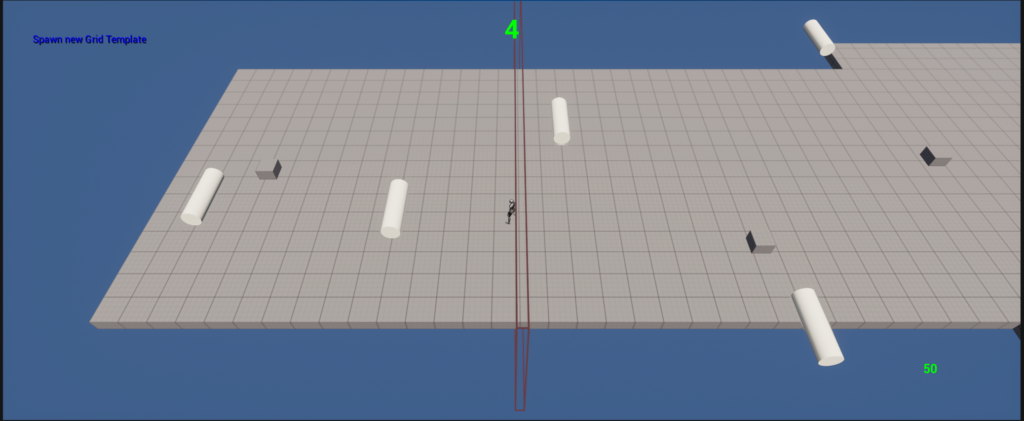
Adding assets and textures will be a big step to playtesting. Currently all the actors in the world are placeholder. This gives a decent sense of how the game plays but is leaving a lot of feel off the table as it is hard to get a sense of the distinct size/speed of vehicles as well as the different powerups types.